iPhone · on the App Store
Swipe away old photos.
Swipe away old photos.
Get your phone back.
Left to trash, right to keep. One month at a time, two minutes a day. Your photos never leave your phone.
Download on the App Store Try swipingFree to start. 50 swipes a day, no card.
No account. No ads. No weekly plan.
0 trashed · 0 MB0 kept · 0 MB
Try the sample cards. Left trashes, right keeps. None of your photos are used.
100% on your phone
Photo analysis runs on your phone. Sveep does not upload your library and needs no account.
Never weekly
50 free swipes and 5 similar-photo groups a day, no ads, no wait timers. Unlimited yearly, or once for life.
Safe by default
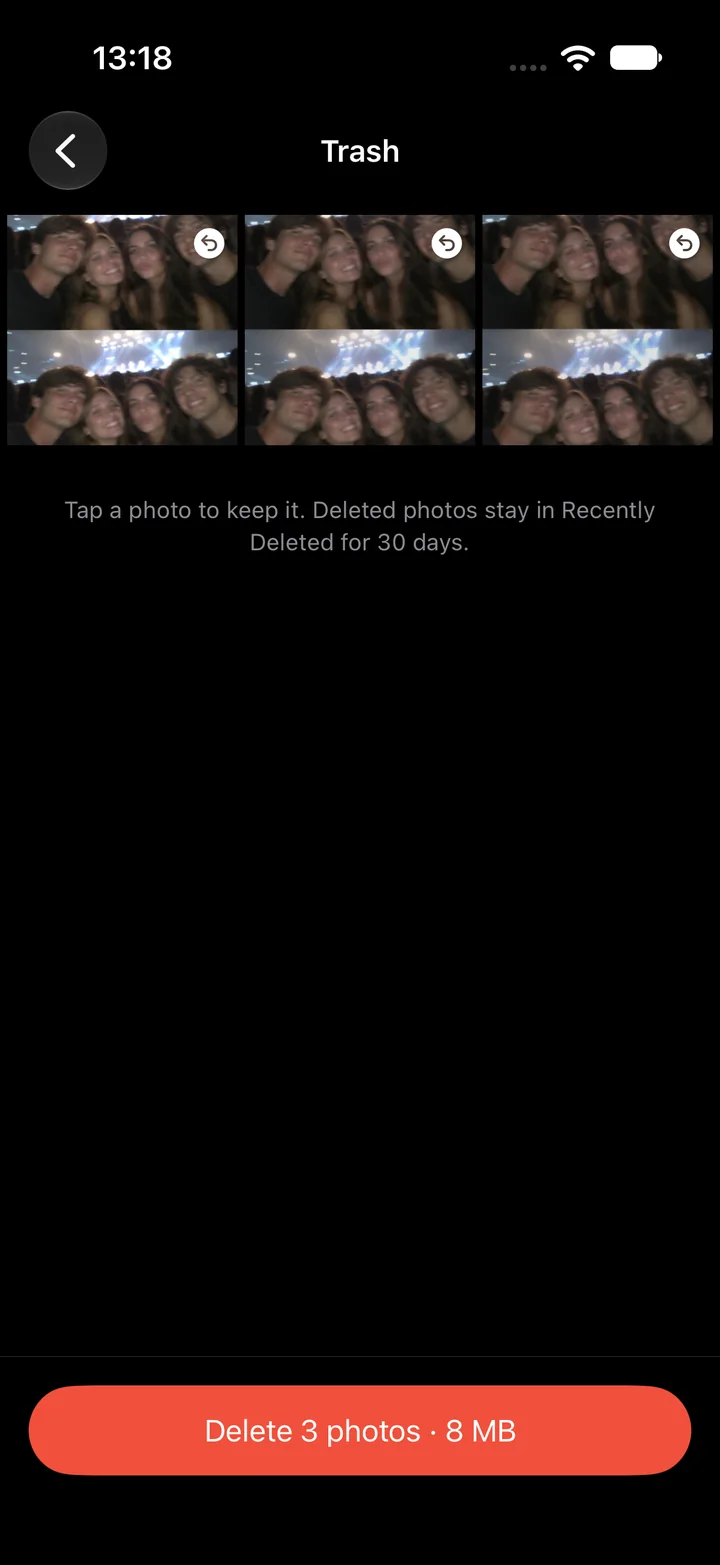
Review the trash, confirm once. Deleted photos stay in Recently Deleted for up to 30 days. Favorites are never suggested.
Smart stacks
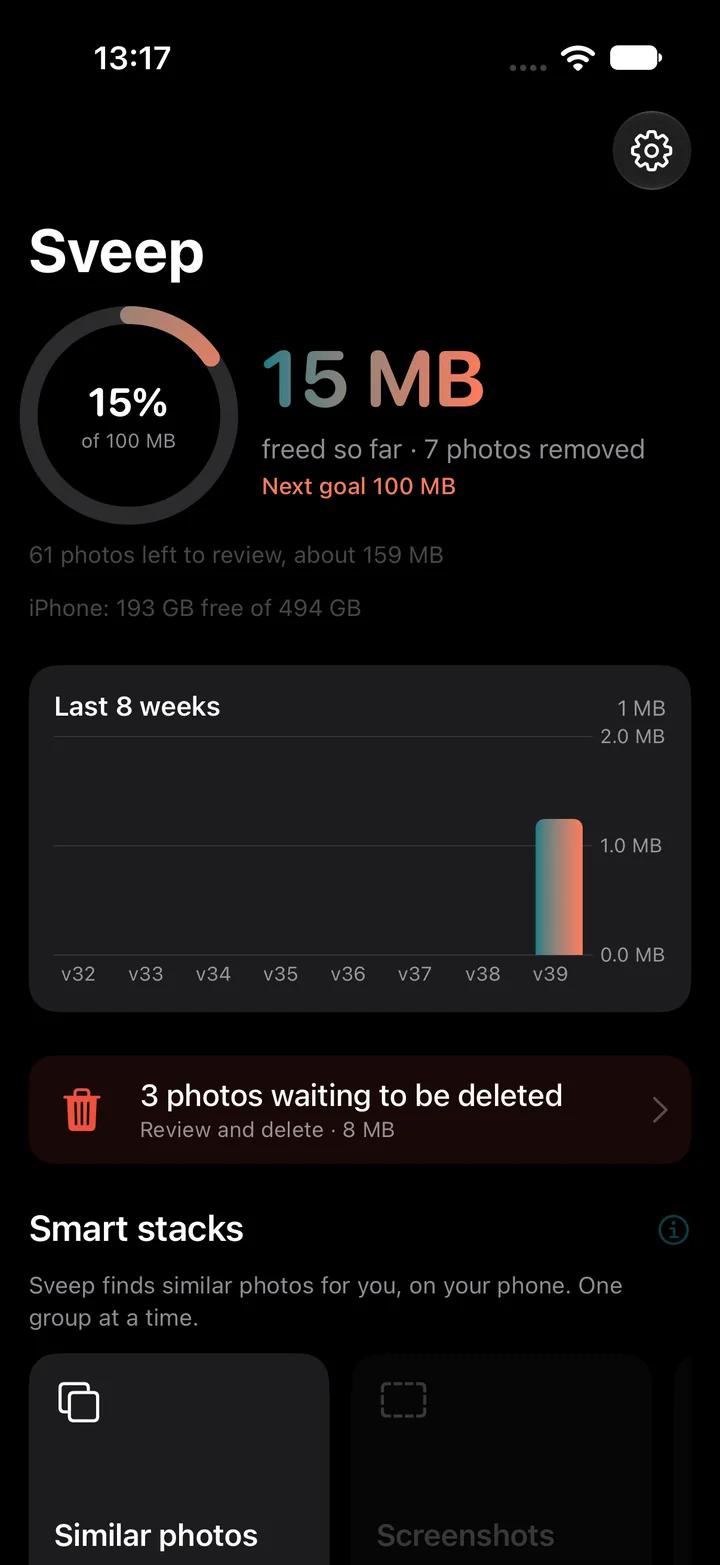
Screenshots, bursts, similar photos and videos gathered up. Review the suggestions and choose what to keep.
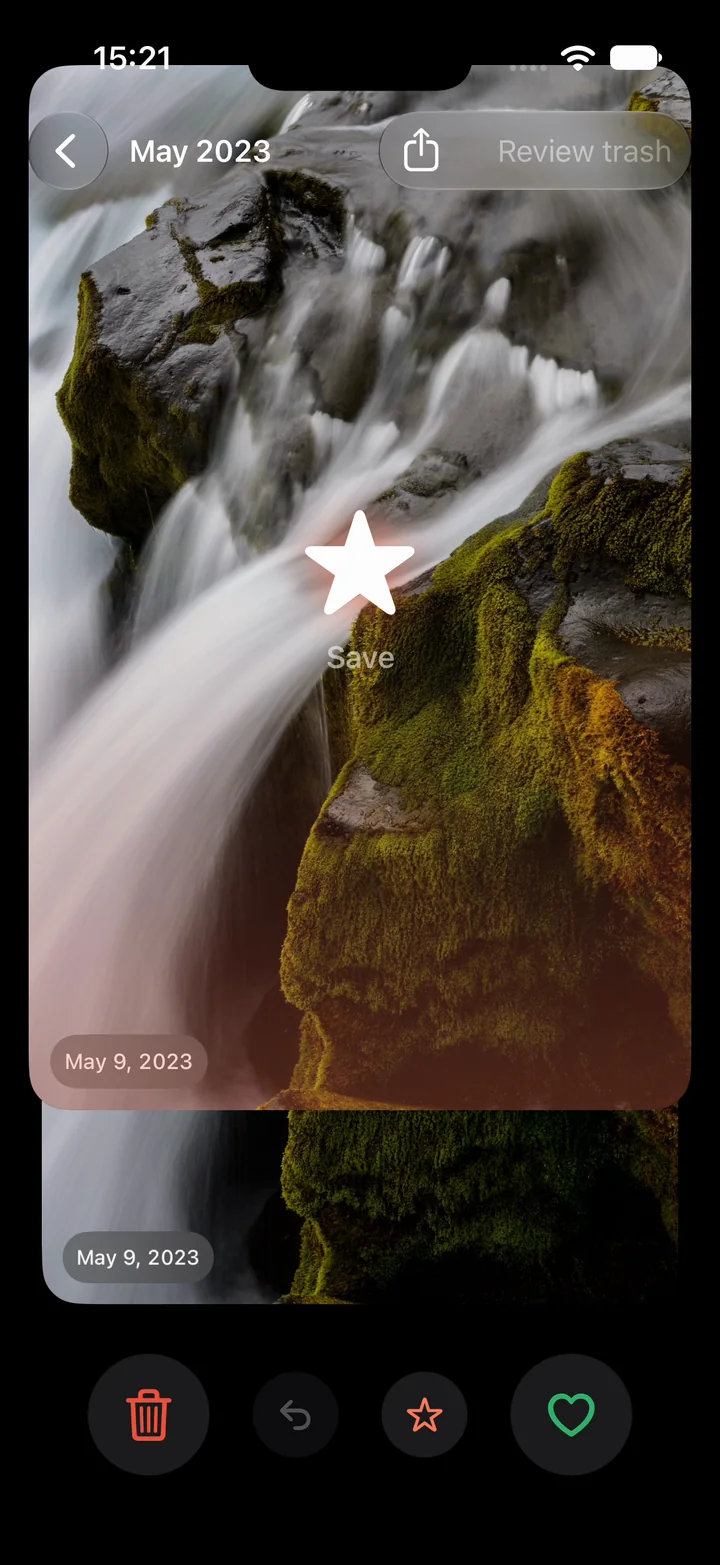
Swipe up to save
Up makes the photo a favorite in Photos, with a star burst. Favorites never come back to Sveep, so up also means stop asking.
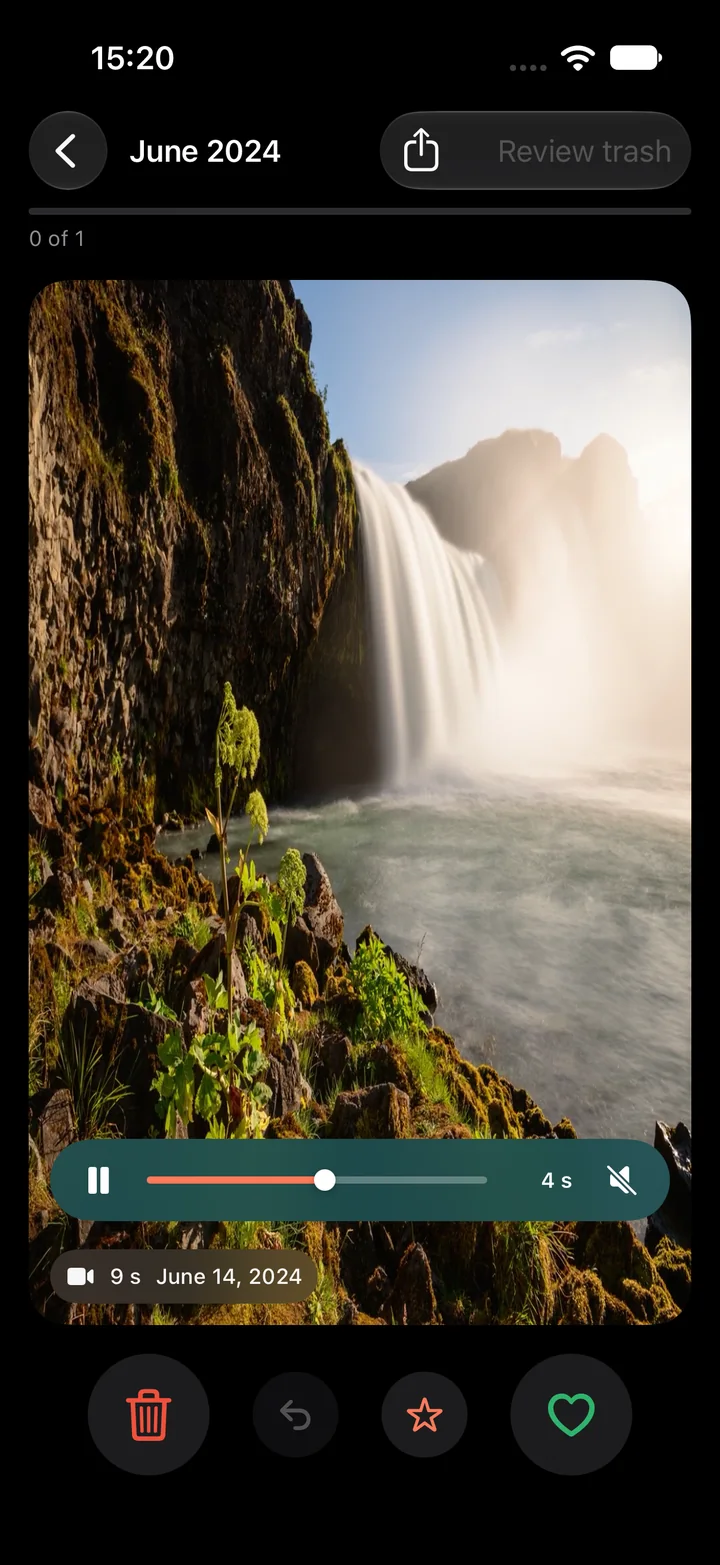
Videos on the card
Play, scrub with a finger, share, decide. The biggest files get a fair look instead of a thumbnail.
A look inside
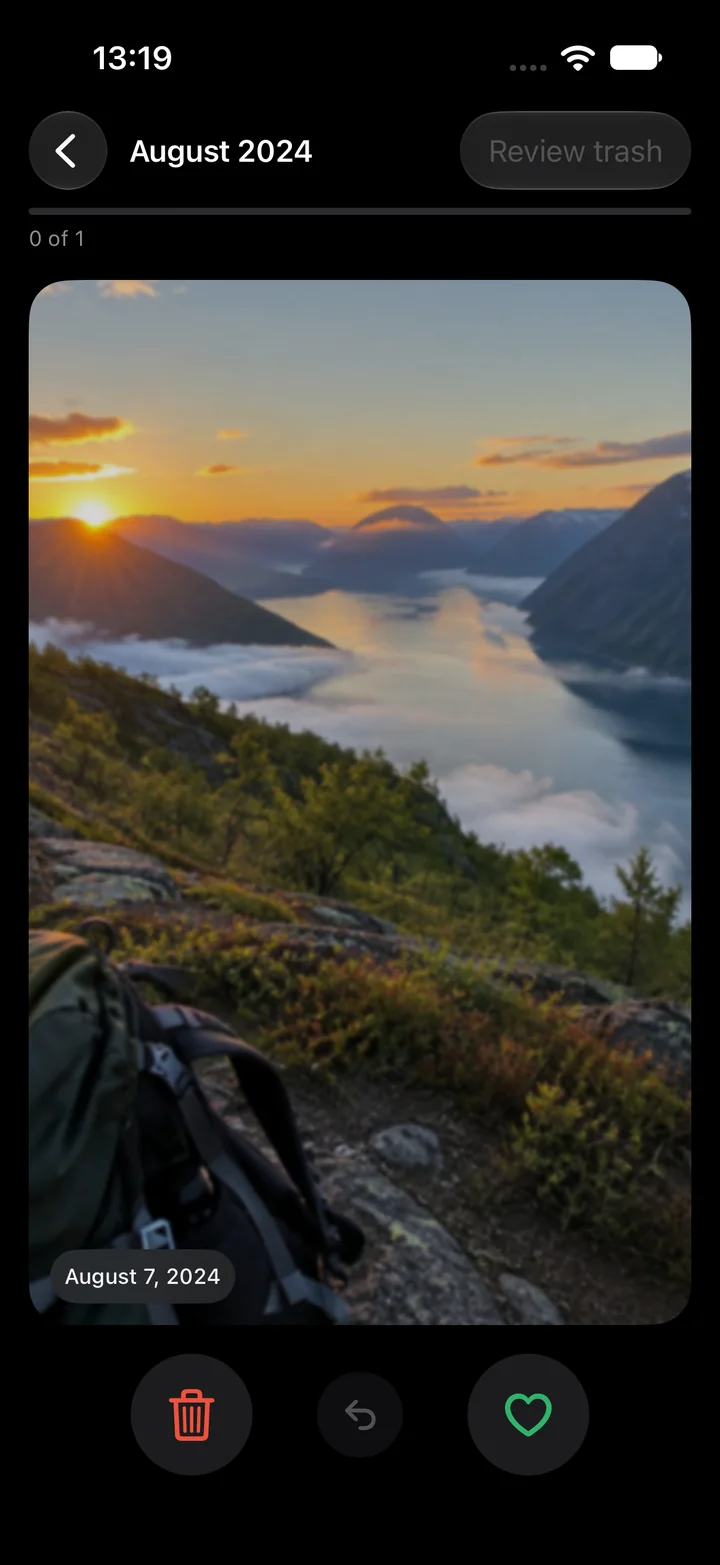
This is Sveep.
Six screens. Nothing to learn.
Smart stacks
Sveep finds what you can't be bothered to look for
Image analysis on the chip in your phone, Apple's Neural Engine. Nothing is uploaded. Nobody sees your photos, not even us. Sveep compares photos taken close together in time. Apple may download your iCloud originals when needed.
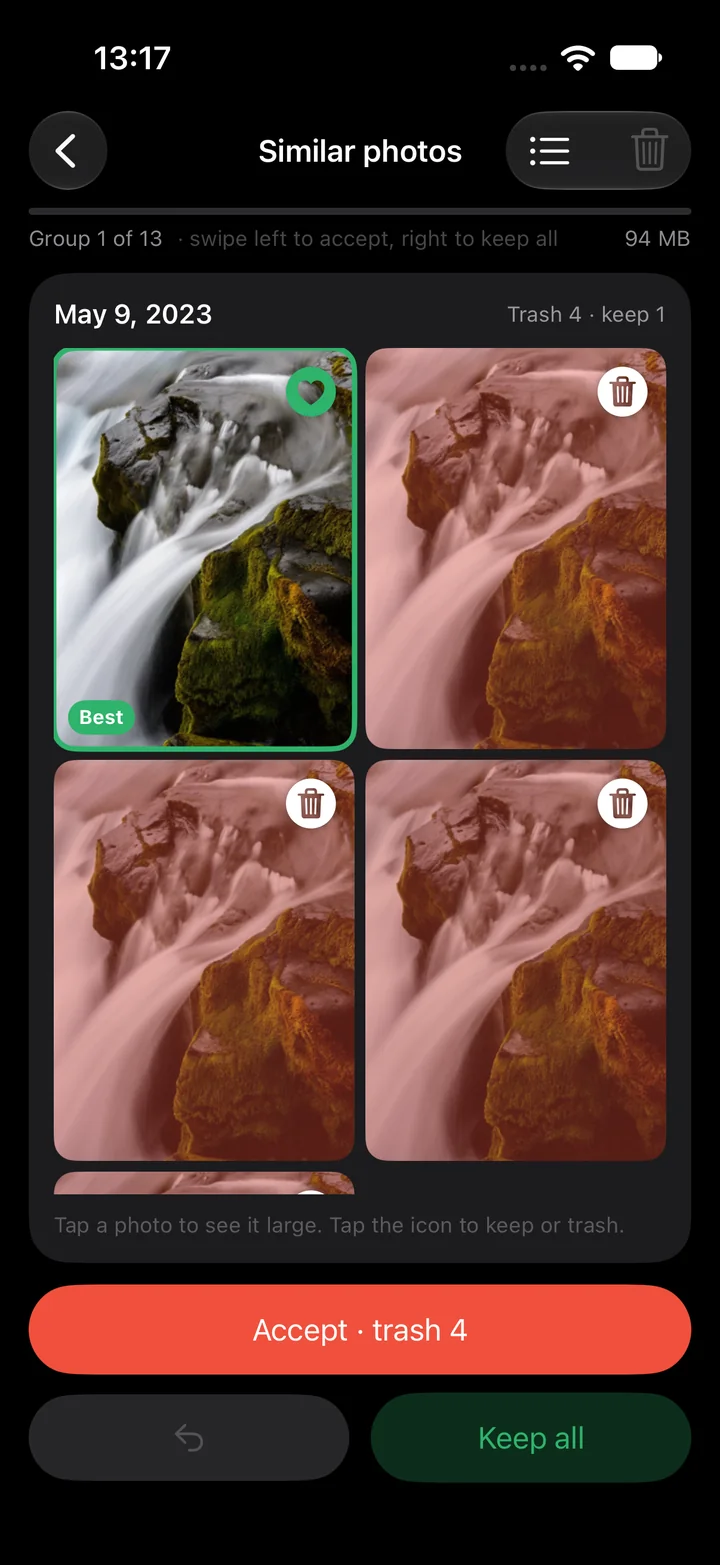
Similar photos
Five tries at the same group shot. Sveep sees they belong together, keeps the best one (sharp, eyes open, facing the camera, everyone in frame) and proposes the rest for the trash. A close call keeps two.
One group at a time, and it learns
Biggest groups first. You see every proposal, change it with a tap and approve. Overrule it and the ranking adjusts for the groups ahead. Five groups a day are free.
Screenshots and videos
Collected in their own stacks, sorted by how much space they take.
You always decide
Everything is a proposal. You review the trash and confirm once before anything is deleted.
How it works
Three steps. Two minutes.
Pick a month
Sveep shows how many photos and gigabytes are waiting, oldest first. Or take a stack: On this day, screenshots, videos.
Swipe
Lefttrashes. Rightkeeps. Up saves as a favorite. Undo with a tap. The card follows your finger.
Review and confirm
The trash is shown before anything happens. Confirm deletion and see how many photos you removed. Sizes are estimates; space is reclaimed after permanent deletion and depends on iCloud optimization.
50 swipes + 5 groups a day
Free. Actually free.
No ads, no wait timers, no account.
- Pro yearly or monthly, automatically renewed. Price and any eligible trial are shown before purchase
- Or pay once and keep it forever
- There is no weekly plan, and there never will be
Guides
- Delete duplicate photos on iPhoneRetakes, bursts, saved WhatsApp images and screenshots of screenshots.
- Free up iPhone storageOpen Settings, General, iPhone Storage and look at the bar.
- Swipe to delete photosOne photo at a time, like a card.
Privacy is not a feature, it is the design. Sveep has no server that could see your photos. What you swipe stays with you. Read the policy, it is short.